
First, it is important to understand that each person who appears on CamSoda must be registered with an approved, age-verified model account, regardless of it being during a live broadcast or for uploaded media.
You have the following options to complete a partnering:
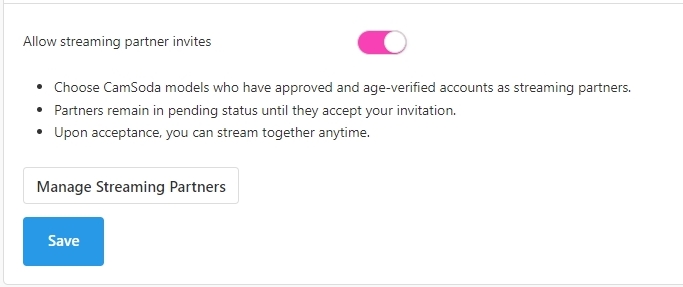
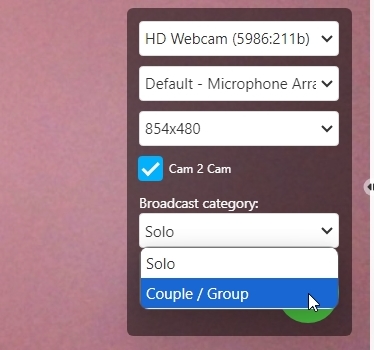
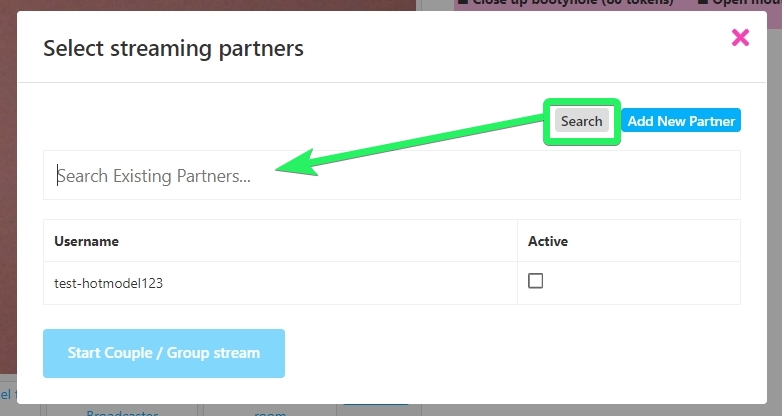
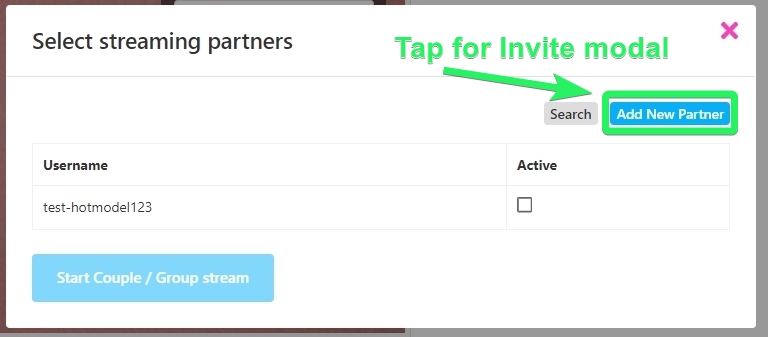
- Both you and your partners should have the "Allow streaming partner invites" option toggled on, located on your Settings & Privacy page. On your broadcast page located on your stream window prior to starting your show, tap the Broadcast Type dropdown menu to choose from Solo or Couple/Group. When you select Couple/Group, you'll be prompted to add a streaming partner's username if you do not already have one listed.
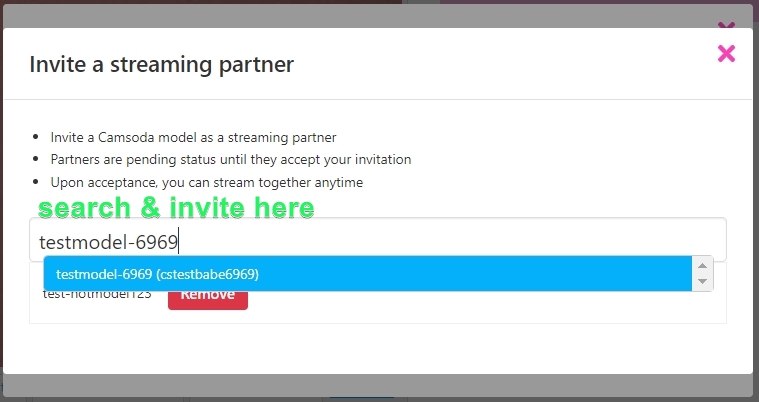
- You can manage streaming partners directly through your Settings & Privacy page, located in the Tokens & Show Settings section. Here's how it works:
Enable Partner Invites:
- Navigate to Settings & Privacy.
- At the bottom of the Tokens & Show Settings section, toggle on "Allow streaming partner invites."
Manage Your Partners:
- Once enabled, select Manage Streaming Partners.
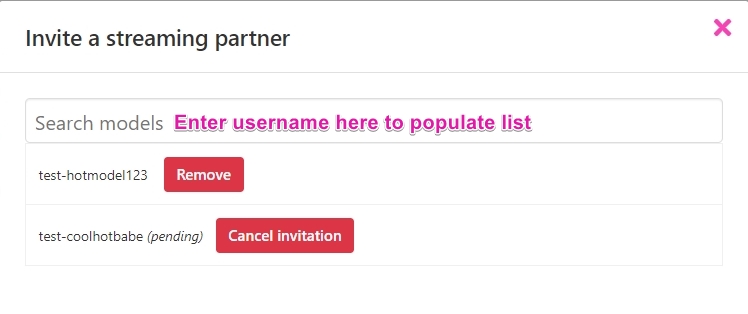
- Start typing your partner's CamSoda username in the search field. A list will automatically appear.
- Choose your partner from this list to send them a partner request notification.
Additional Options:
- You have the flexibility to remove a streaming partner or cancel a pending invitation.
Handling Incoming Requests:
- Any partner requests you receive will be found under the Pending Items section.
- Here, you can either approve or decline these requests.
