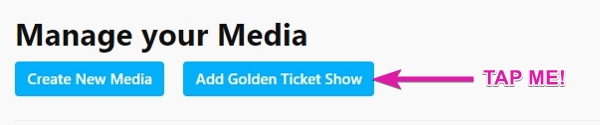
Golden Ticket shows on CamSoda are exclusive events not accessible to the general public; only ticket holders can view them. It's like a group private show where users pay for admission. There's no limit on ticket sales, and stream duration is flexible. You can set up your Golden Ticket show before or after starting your actual live stream by following these instructions:
- Access Golden Ticket settings via the Show Type dropdown button on your broadcast page
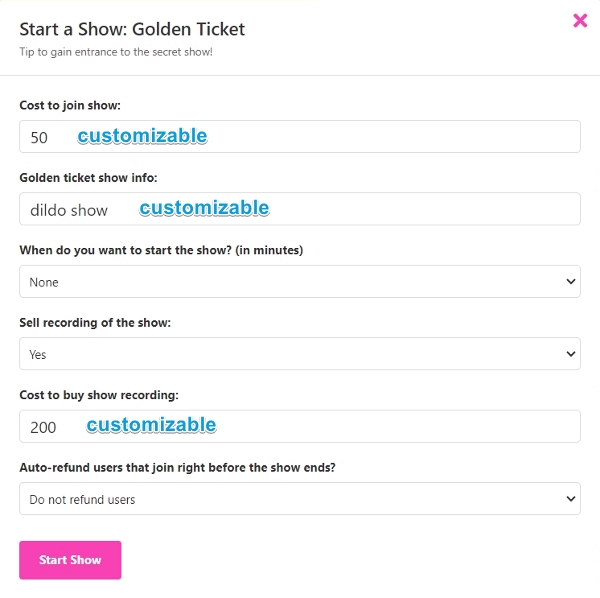
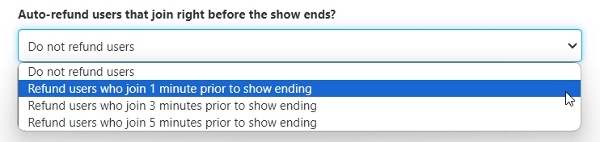
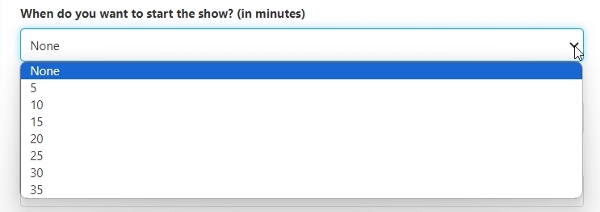
- Enter the necessary details of your show and tap the Start Show button. Details include the entry fee, show description, if you want to apply a countdown timer to showtime, if you want to sell a recording and its purchase price, and options to refund last-minute joiners.
- Once you're ready to begin, tap the green START SHOW button below your broadcast window to activate ticket sales. Note: you will still need to start your actual broadcast for viewers to purchase tickets and tune in.
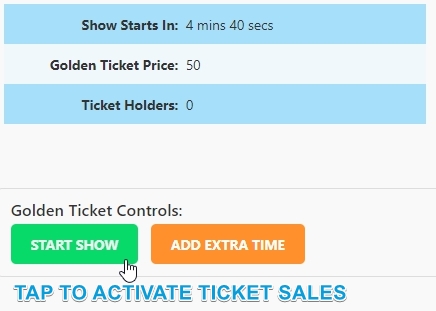
- If you are using a countdown timer, the ADD EXTRA TIME button allows you to restart your timer.
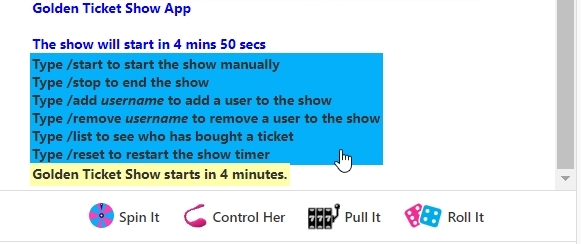
- Text commands are available in the chat window for easy management. If you have a chat moderator, they can also assist with chat commands adding and removing users.
When you sell recordings of your Golden Ticket show, they will automatically be added to buyers' media pages post-show once processed.
Show recordings can be sold as separate media.
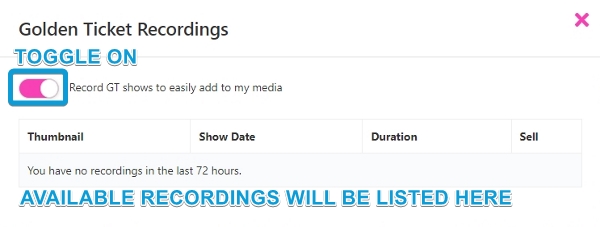
- This is managed in your media section, where you can toggle on Record GT shows to list available recordings for sale.
- Important note: with Golden Ticket show recordings enabled, you will have 72 hours post-performance to add them to your media section for sales.