The purpose of CamSoda's Tip Menu feature is to allow users to "direct" your performance by tipping for specific items or actions with which you are comfortable. Here's some more important information about your Tip Menu:
- Customization: You can create a personalized menu with up to 20 items, ranging from low to high token costs to accommodate all users.
- Access: Access and edit your Tip Menu via desktop (Show Type button in your broadcast room) or mobile (tap the chat bubble icon, then Show Type).
- Pricing: Items can be priced up to 10,000 tokens. Include a variety of actions and prices to engage a wider audience.
- Games and Rewards: Incorporate tip-based games and rewards like custom pictures or shoutouts to maintain engagement.
- Activation: Edit your menu and activate it using the 'Start Show' button. Note: This does not start your actual broadcast.
- Notifications: Tipped items will be highlighted in the chat window.
- Versatility: The Tip Menu can run simultaneously with other show types (e.g., Multi-Goal, Auto-Reset Tip Goal, Fill The Tank) for added incentive.
To set up your Tip Menu:
- Locate the Show Type button above your chat box to access the drop down menu and select Tip Menu
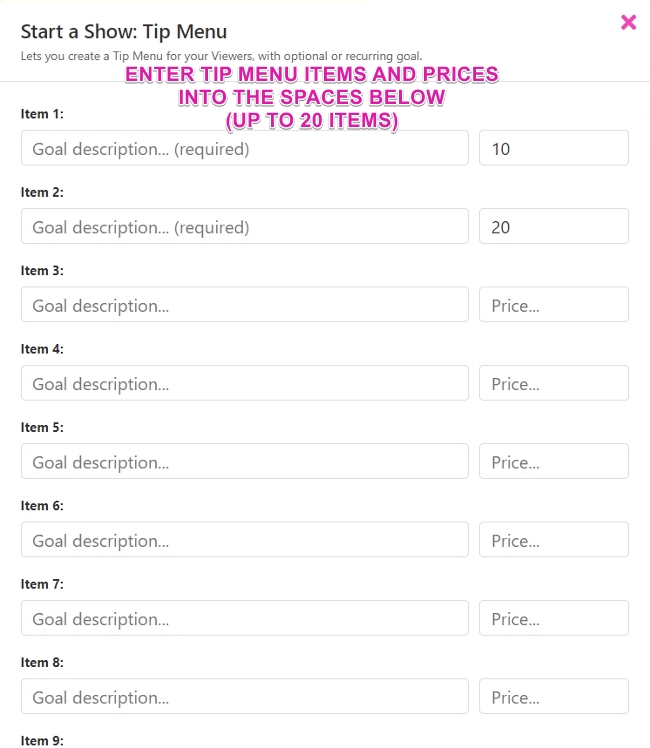
- Enter up to 20 menu item descriptions and corresponding tip amounts for each.
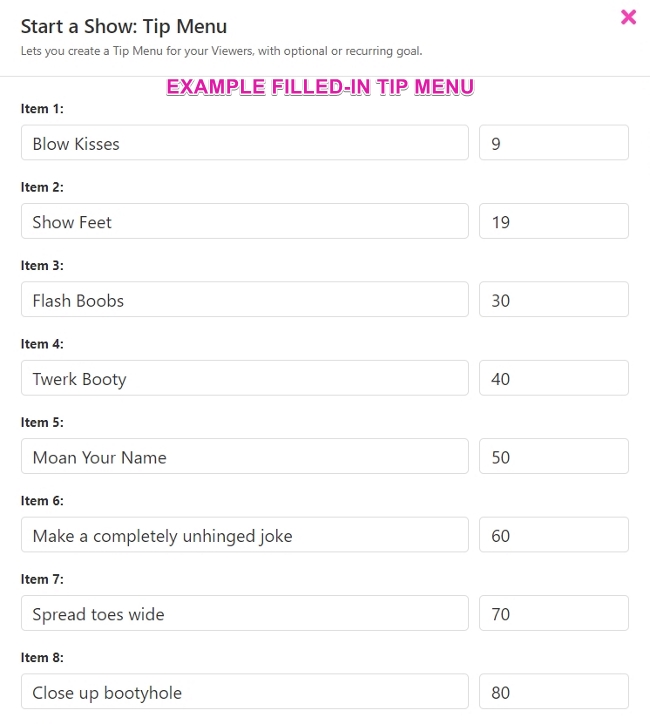
- As an example, menu items can be actions like blowing a kiss, removing your top, giving private message access, sending a piece of media, or anything else you'd be comfortable with providing.
- You can Sort your tip menu by by list price by tapping the sort icon on the top right of the Tip Menu setup module.
- Select the Start Show button to apply the settings. This will not begin your broadcast.
- Once you start your broadcast, users will be able to see and access your tip menu during your show.
- When someone uses your tip menu to give you tokens, a highlighted notification will publish in your chat window.
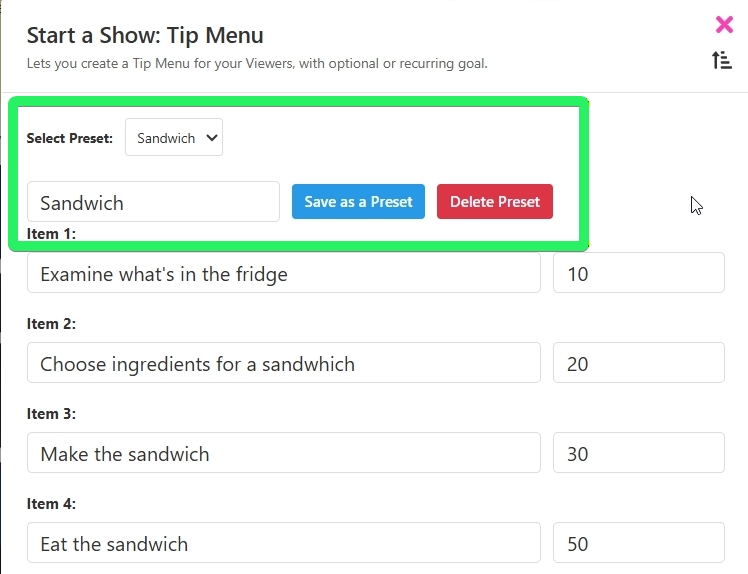
- You can create and save multiple preset tip menus to your model profile with ease by using the Select Preset option. Your saved presets will be listed in the dropdown menu.